DUE TO OUR TRANSITION TO A NEW GEN6 TOUCHPADS THIS CONTROL CENTER DRIVER IS NOT SUPPORTED.
You can still download and use this on your computer but Cirque will no longer support GlidePoint Drivers. This GlidePoint Driver is not guaranteed to perform as expected with all versions of Windows 10 or with Windows 11.


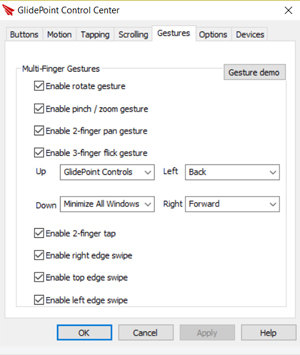 Gestures Tab: Enable 2-finger tap and Enable 2-finger pan are the most common and often used gestures, An added bonus in using the 2 finger tap for right click allows you to change the function of the upper right tap zone to middle click (or any of 42 other options see buttons tab) Rotate with 2 fingers, Pinch zoom in and out, 2 finger panning up and down and side to side. 3 Finger flick is like having 4 separate programmable buttons but instead of pressing a button you simply flick to do things like maximize windows, pull up windows file explorer, default web browser, default email, or default media to name a few. Assign any flick to open up a shortcut to open up any file, program, or web page.
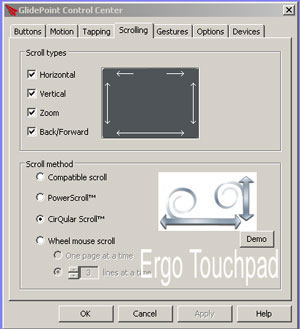 Scrolling Tab: 8 different scrolling options including Horizontal,Vertical, Zoom, Back/Forward, Compatible Scroll, Power Scroll,Circular Scroll and Wheel mouse scroll.
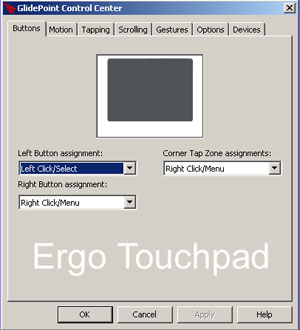 Buttons Tab: Right mouse click by 2 finger tapping the surface and now the upper right tap zone and touchpad with buttons are free to change to over 42 different functions including left, right or middle click, double click, insert, delete, end, enter tab, minimize window, start menu, default email or web browser and assign any short cut to open up any program or web page.
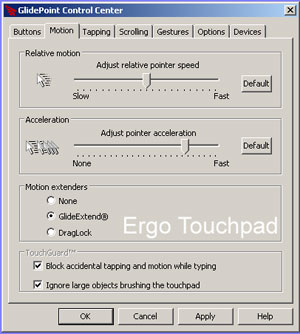 Motion Tab: Adjust pointer speed and acceleration and motion extenderslike glide extend that give you infinite dragging.
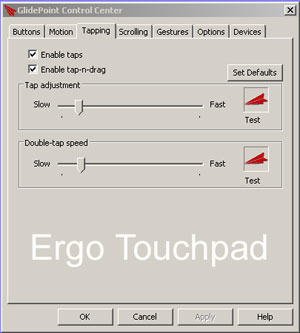 Tapping Tab: We recommend keeping the tap adjustment and double tapspeed at a slow setting for best functionality.
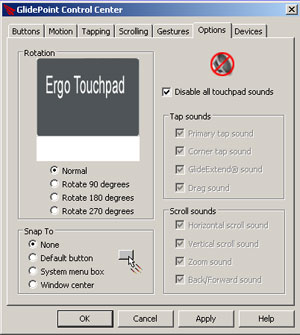 Options Tab: Rotate the touchpad 90, 180 or 279 degrees and enable or disable tapping and scroll sounds, Please note the scrolling areas do not rotate with the rotating of the touchpad, they stay in the original positions.